
$Id: GIATA-Flip-Cat-en.xml 16103 2021-03-17 05:35:14Z afue $
Copyright © 2006-2021 GIATA GmbH
Table of Contents
The GIATA Flip-Cat offers a virtual representation of tour operator brochures.
Your customers can go through the catalogues page by page, enlarge certain pages for a closer look, download the corresponding PDF files, search for content with an index and much more.
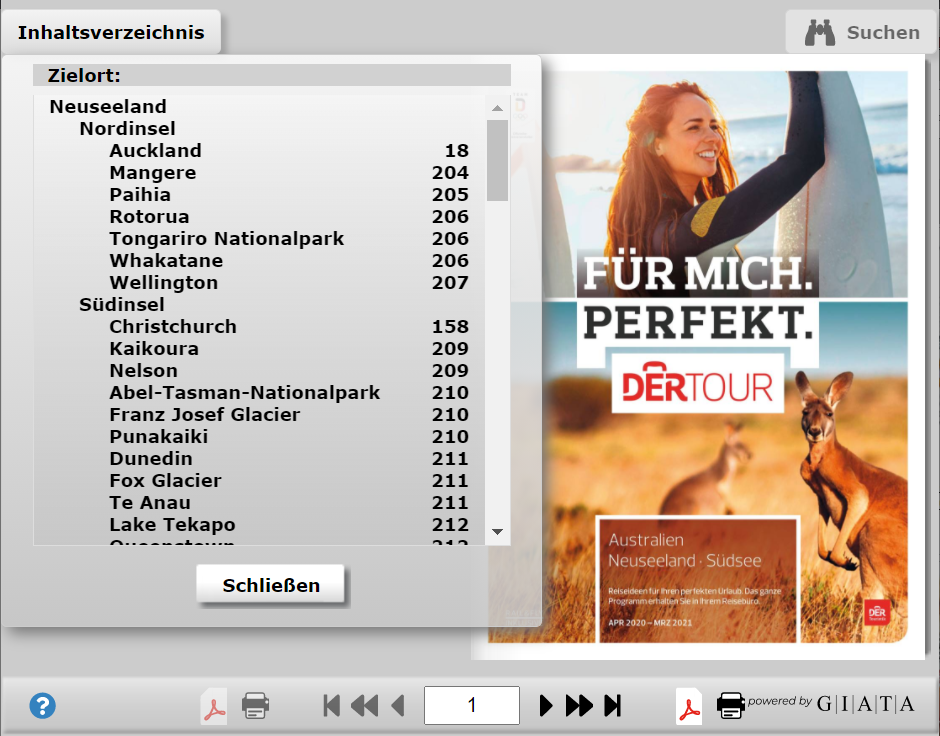
This document explains how you can integrate the GIATA Flip-Cat into your webpages and which options are available to you.
There are currently two options for integrating the GIATA Flip-Cat into your website: a link that opens a pop-up window/a new page with the GIATA-Flip-Cat, or an I-frame, in which the GIATA-Flip-Cat is loaded.
You may decide whether you wish to integrate the GIATA-Flip-Cat as a ready-made application or custom program the integration for yourself. The latter requires programming skills and is only recommended for experienced developers.
Integration as a ready-made application is definitely the simplest option: In the admin account, you can use the link generator to create the most important links and integrate them into your webpage.
You can log in as administrator with the following link (you will of course need your user-ID):
http://www.extranethotelguide.de/bookable.php?uid=XXX&com=useradmin
After entering your admin password, which you should have received from us, you will be logged in to the admin account, where you will find a link to the link generator, among other things.
In the link generator, you will find the input fields "width" and "height", where you can set the dimensions (in pixels) of the application. Please note that the settings for width and height are not completely unrestricted. There are minimum dimensions, which are dependent on the link generator settings. If the input values are too small, the link generator will alert you and automatically correct the dimensions.
You will also find a list box with the title "frame", with which you can decide whether or not a tour operator selection should appear via the Flip-Cat itself.
Finally, you will find a list box called "display" in the link generator, from which you can create links for three main categories:
This is where you get the link to the tour operator overview. It looks like this:
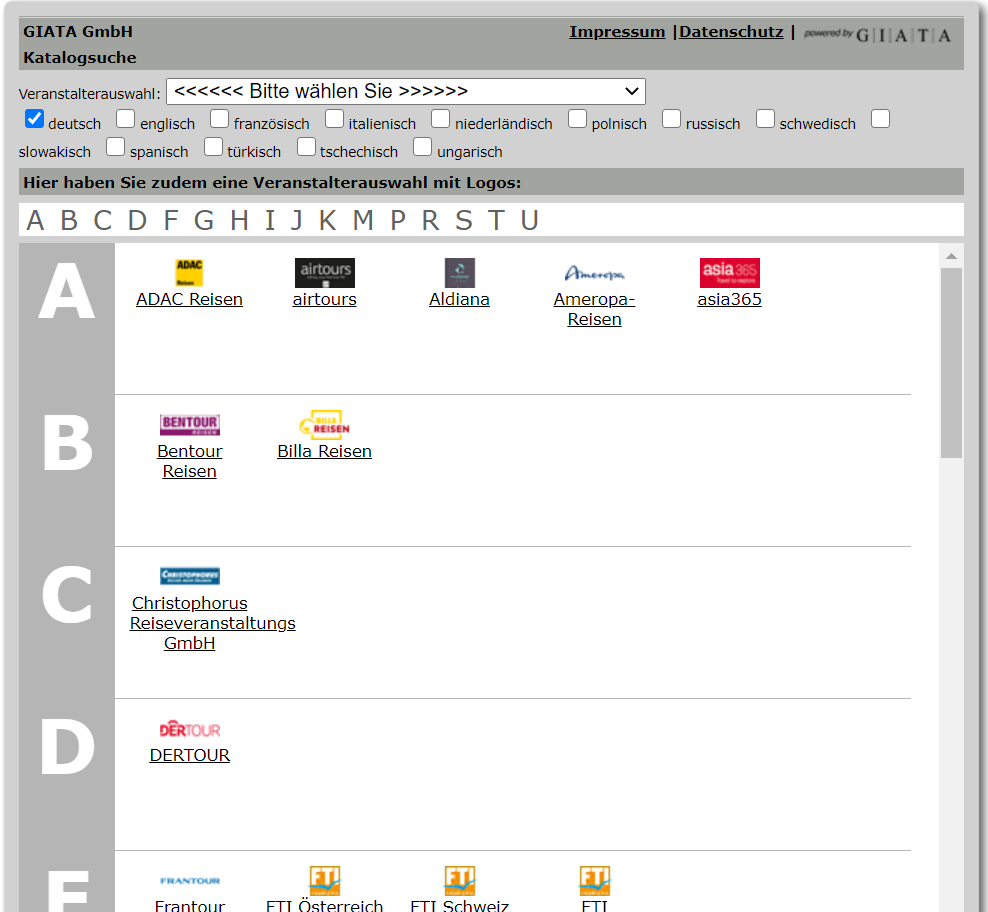
This is where you get an overview of a tour operator's catalogues.
After selecting this item, a tour operator selection box appears. From this list, the desired tour operator can be chosen.
Using DERTOURS as an example, this is what a tour operator overview looks like:
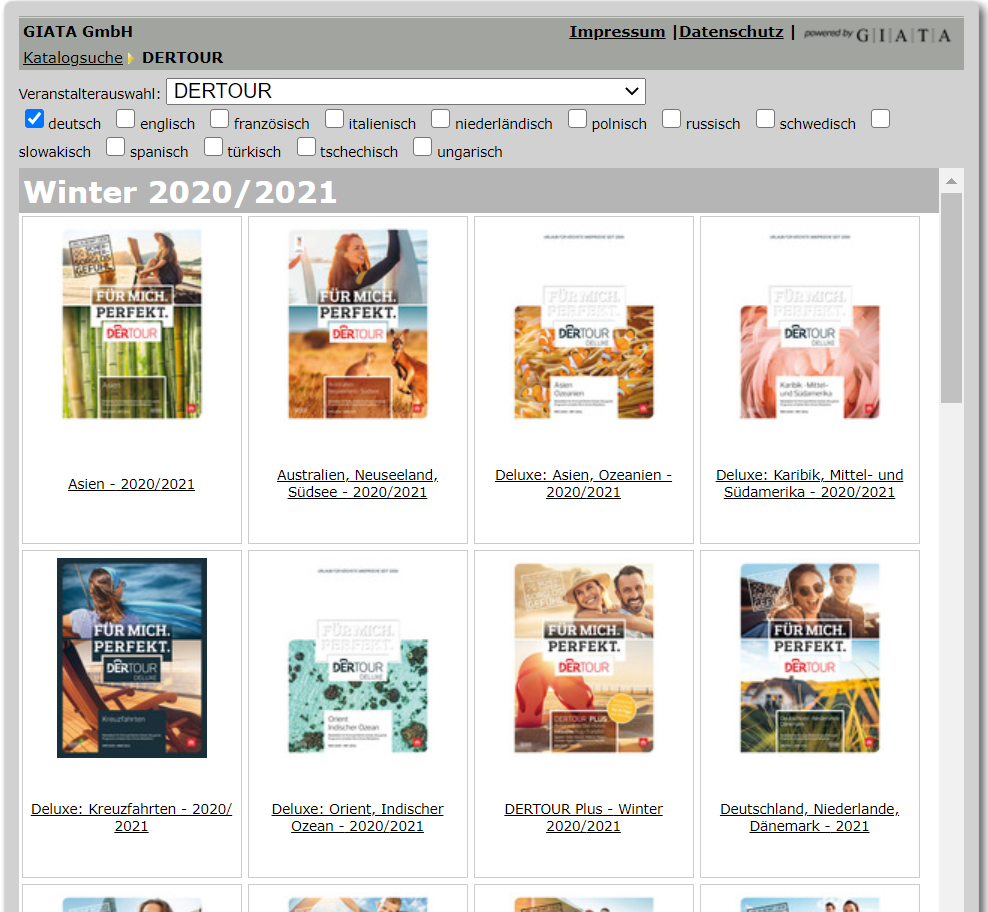
Here is a link to an individual catalogue.
Under this item, you will find an additional item in the frame list box: "unframed catalogue". Unframed cataloges are displayed without any kind of decoration, such as navigation or tour operator selection.
In addition, there is a list box called "size", with which you can set the catalogue size. Please note that both catalogue sizes require certain minimum values for the width and height of the application. If the input values are too small, the link generator will alert you and automatically correct the dimensions. The minimum values also depend on whether a tour operator selection is to be visible or not or whether the catalogue is to be displayed without any kind of decoration (list box "frame").
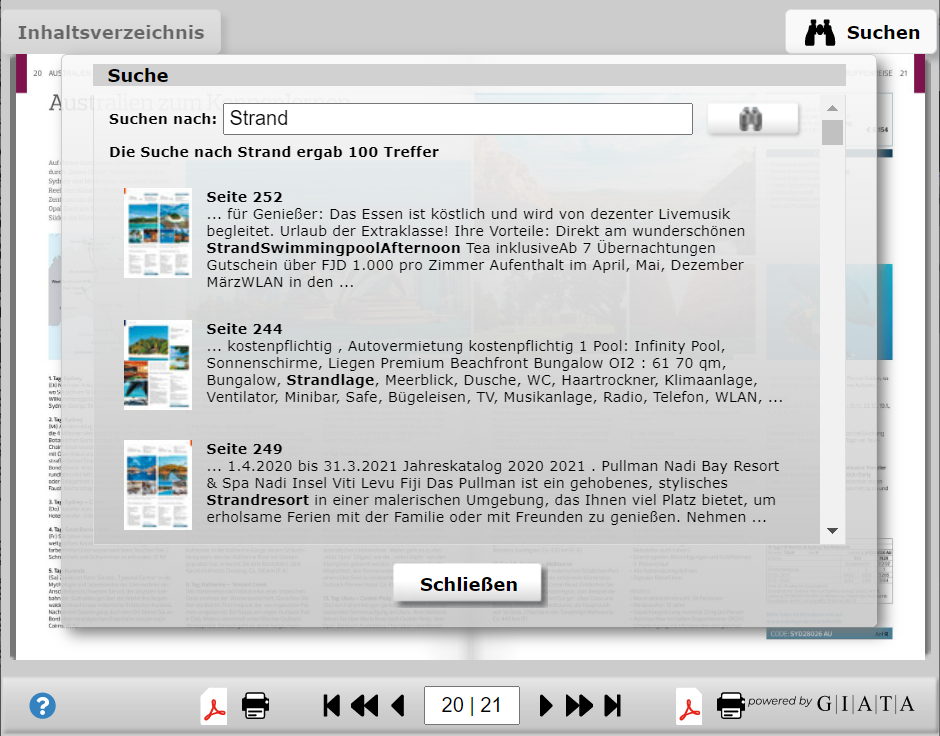
You will need access to the GIATA XML interface because you will have to go to the current URL via this interface regularly.
The general documentation for the GIATA XML interface can be found under
https://xml.giatamedia.com/dokumentation/.
If you have questions about the GIATA XML interface
or require access, please contact <info@giata.de>.
Unfortunately, it is not possible to provide all catalogues as GIATA Flip-Cats. You can use the GIATA XML interface to determine which catalogues are available as GIATA Flip-Cats.
To do so, load the catalogue list of a tour operator (the tour operator TUI is used here as an example, code 'tui', excerpt):
https://xml.giatamedia.com/?sc=list&list=catalog&vc=tui
<CatalogList>
    <cr>
        <cn>Deluxe Nordamerika - 2021/2022</cn>
        <cid>21729</cid>
        <cid_infox/>
        <flipcat>0</flipcat>
        <pdf_url/>
    </cr>
    <cr>
        <cn>Deluxe: Karibik, Mittel- und Südamerika - 2020/2021</cn>
        <cid>21728</cid>
        <cid_infox/>
        <flipcat>1</flipcat>
        <pdf_url/>
    </cr>
    <cr>
        ...
From the output of such a query, you can determine whether a Flip-Cat exists for a particular catalogue: if the item 'flipcat' has a value of '1', then the Flip-Cat exists, if it has a value of '0', then it doesn't. If you require a catalogue that does not yet exist as a Flip-Cat, don't hesitate to contact us.
Once you have completed such a query and determined that the catalogue in question exists as a Flip-Cat, you must note its catalogue-ID (item 'cid'). As a general rule, this catalogue-ID is unchangeable, so you only need to look it up once. (exception: subsequent editions of a given catalogue are assigned new catalogue-IDs and treated as separate Flip-Cats).
In order to be able to react more flexibly to potential server outages and overloads, you must detect the servers separately from the URL path and also, ideally, more frequently.
To do so, go to the following URL (with your access data, of course):
https://xml.giatamedia.com/?sc=list&list=flipcat_server
<serverlist>
    <service name="flipcat">
        <servers>
            <server>
                <scheme>https</scheme>
                <host>flipcat.giatamedia.com</host>
                <port>443</port>
                <capacity>70</capacity>
            </server>
            <server>
                <scheme>https</scheme>
                <host>flipcat123.giatamedia.com</host>
                <port>443</port>
                <capacity>30</capacity>
            </server>
        </servers>
    </service>
</serverlist>
The sum of all 'capacity' item values is 100. Servers with a value of '0' for the 'capacity' item should be ignored. The larger the value of the 'capacity' item, the more you should use the corresponding server.
Once you have the catalogue-ID, you can determine the URL path for the Flip-Cat in question by going to the following URL (again, have your access data on hand; abridged output):
https://xml.giatamedia.com/?sc=flipcat&katid=21728
<flipcat catalogId="21728">
    <urlPath>/index.html?fc=MTE1NzMxMDM1NnwaRDlAUYoqfH...</urlPath>
</flipcat>![[Caution]](images/caution.png) | URL-Encoding Your Parameter |
|---|---|
Please remember to encode the values that you input with the URL! |
Example:
https://xml.giatamedia.com/?sc=flipcat&katid=21728
| Caution |
|---|---|
Please note that these URLs have limited validity and must be updated regularly. Do not use URLs that are more than 12 hours old! |
The URL, which you have thus determined via the GIATA XML interface, can be supplemented by the following GET parameters:
The width of the Flip-Cat.
e.g. ...&width=720
The width of the Flip-Cat does not affect the size of the catalogue, but rather the size of the enlarged view. Additionally, if you wish to display offers on the right and/or left (see below), you should choose the width accordingly.
The height of the Flip-Cat.
e.g. ...&height=640
Ideally, this value should be set higher, so that the enlarged view is displayed sufficiently large.
The background colour in six-digit, hexadecimal form (default: FFFFFF).
e.g. ...&bgcolor=A5CDEF for a light blue background.
If the GIATA Flip-Cat is to be displayed in a pop-up window, you may wish to customise the title of the page.
e.g. ...&title=Willkommen+bei+Reise-ABC
Please note that the string for the URL must be encoded.
The page number. If the catalogue loaded has the appropriate number of pages, then the Flip-Cat will open on the corresponding page.
e.g. ...&page=42